
The sign-in ceremony changes; account operations still matter
- 1 · Enrol
Create a credential for the relying party
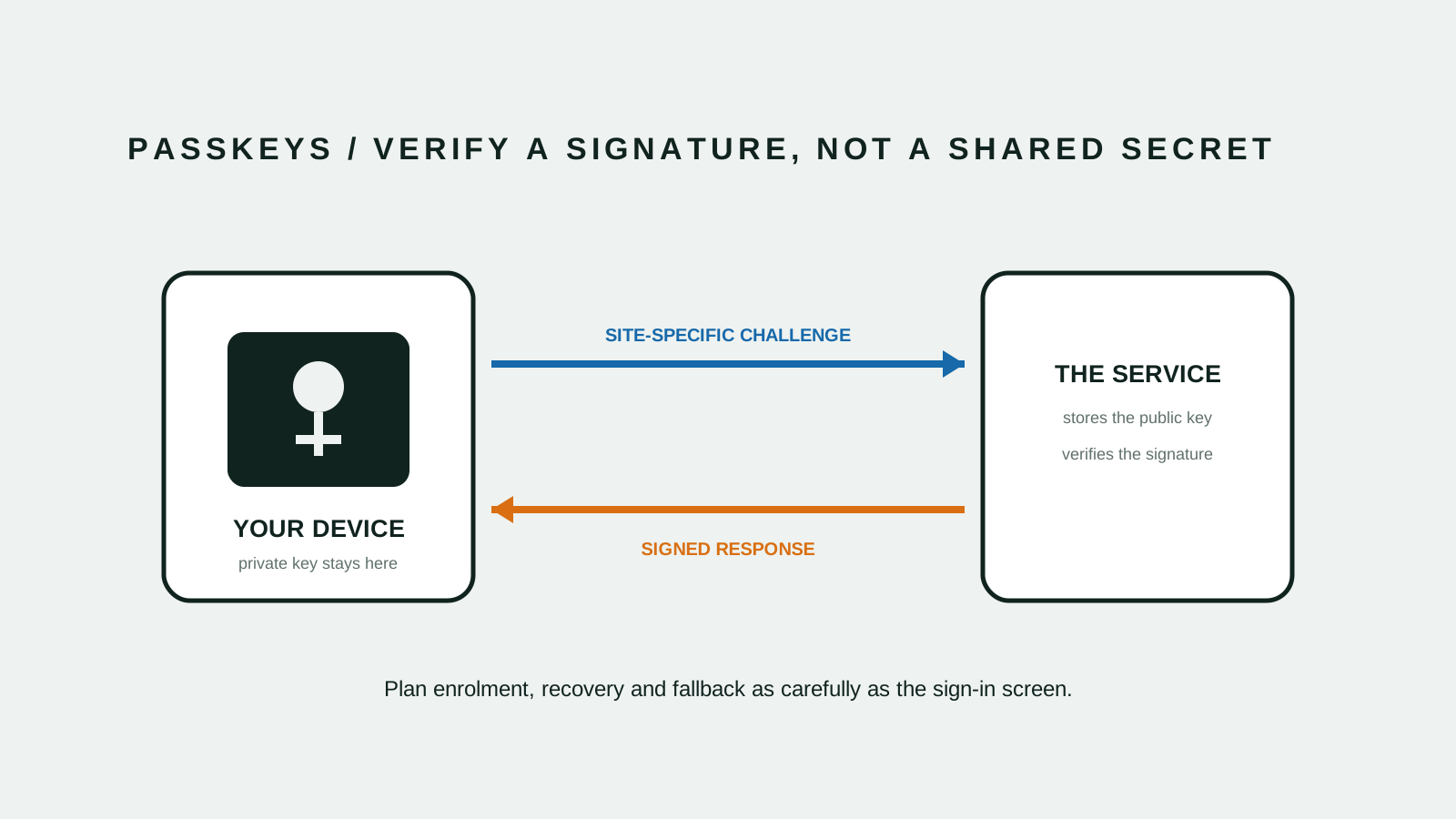
WebAuthn creates a public-key credential scoped to a relying party. The service stores a public key while the authenticator keeps the private key and uses user verification or presence during authentication.[1][3]
- 2 · Verify
Sign the site’s challenge
Instead of sending a reusable password, the authenticator signs a challenge for the expected relying party. NIST identifies WebAuthn/FIDO2 as an example of phishing-resistant authentication when implemented with the required verifier-name binding.[2][3]
- 3 · Recover
Design the path around the happy path
Passkeys may be device-bound or synchronised through an eligible provider. Organisations still need explicit enrolment, replacement, recovery and fallback policies so a weaker side door does not undermine the stronger sign-in path.[1][2]
There is no shared secret for the site to receive
A password is a reusable value known to the user and verified by the service. A passkey uses a private key held by an authenticator and a corresponding public key registered with the service.[1][3]
The application asks for a signed response to a fresh challenge. That changes breach and phishing decisions, but it does not remove the need to secure sessions, devices and account recovery.[1][3]
User experience becomes an account-state problem
The sign-in screen can be simpler because the device may offer an appropriate credential. The harder work moves to explaining creation, naming devices, adding another authenticator and handling a person who changes or loses devices.[1][3]
Test the complete journey on the browser and device mix your customers actually use. Do not remove an existing path until successful enrolment and recovery are measurable.[1][3]
Fallback decides the real assurance level
If a user can bypass a passkey with a weak password reset or an easily redirected support request, the account remains exposed through that route. Recovery needs its own identity checks, rate limits, notifications and audit history.[2]
Separate ordinary device replacement from suspicious account recovery. For staff and privileged users, use more than one enrolled authenticator and define the help-desk evidence before an incident.[2]
Roll out by cohort and capability
Begin with internal or willing users, observe enrolment and recovery failures, then widen the cohort. Keep a clear indicator of which accounts have a passkey and which fallback remains enabled.[1][2][3]
Australian organisations should treat passkeys as an authentication program rather than a button: inventory clients, choose relying-party scope, document recovery and keep support teams inside the rollout.[1][2][3]
- Confirm relying-party and domain scope
- Support at least one tested recovery path
- Protect fallback to the same assurance target
- Monitor enrolment, sign-in and recovery separately
- Retain session and account-change controls