
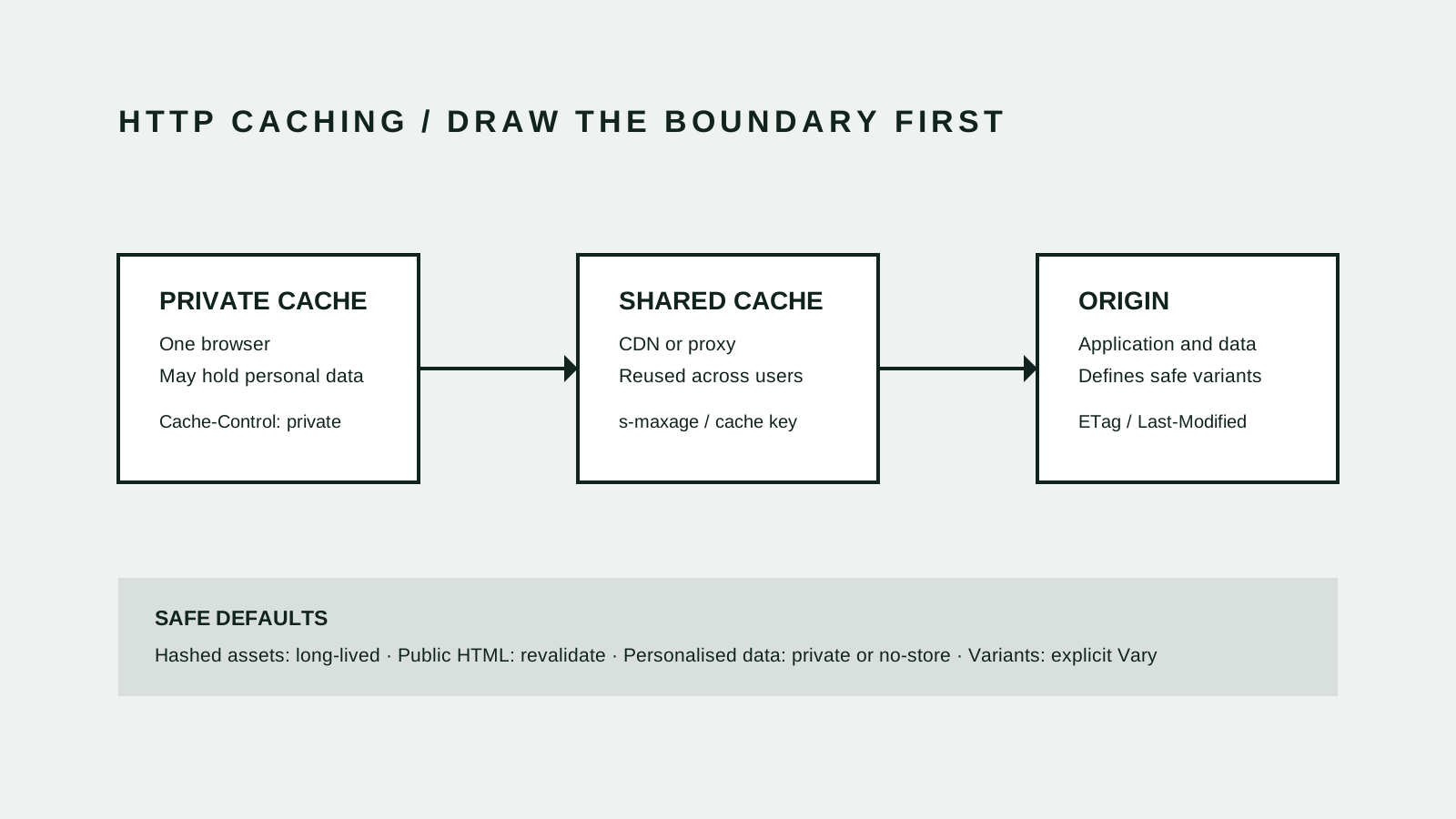
A cache is safe only when reuse is safe
- 1 · Classify
Decide who may receive the same response
A private cache belongs to one user agent. A shared cache, such as a CDN, can reuse one stored response for many users. Make that boundary explicit before choosing a lifetime.[1][2]
- 2 · Key
Name every input that changes the representation
The request method and target URI form the minimum cache key. When a response also changes with a request header, Vary tells a cache to include that header when selecting a stored representation.[1][4]
- 3 · Control
Set storage and freshness deliberately
Cache-Control separates storage from reuse. no-store prevents storage, no-cache permits storage but requires validation before reuse, private excludes shared caches, and s-maxage controls freshness in shared caches.[1][3]
- 4 · Prove
Test the response matrix, not one happy request
A cache can store redirects and negative results such as 404 responses as well as successful pages. Verification needs repeated requests across user state, language, query and error conditions, followed by a purge and recovery test.[1]
The first question is who can share the bytes
Teams often begin with a time-to-live because it is easy to measure. That is the second decision. The first is whether two requests are allowed to receive the same representation. Public documentation may be safely shared. An account page, draft preview or response containing a session-specific token usually may not be.[1][2][3]
Cookies do not make a response private by themselves. If authenticated or personalised content may be stored in a browser, say private. If the response should not be stored at all, say no-store. Do not rely on a CDN rule to infer the privacy boundary from whichever headers happen to be present.[1][2][3]
A cache key is part of application correctness
Most caches begin with the method and URL. That is enough only when the URL identifies one reusable representation. If the response changes by language, accepted encoding or another request header, the key must reflect that input. Vary is the HTTP mechanism for declaring those header-driven variants.[1][4]
Avoid using Vary as a substitute for a clear URL or privacy rule. Vary: User-Agent creates many low-reuse variants, while Vary: Cookie can multiply the key space and still fail to describe which cookie matters. Locale paths, versioned assets and private responses usually make the boundary easier to operate.[1][4]
no-cache does not mean do not store
The naming causes expensive mistakes. no-cache allows a response to be stored, but requires the cache to validate it before reuse. no-store tells caches not to store it. private permits storage in a user's cache but keeps the response out of shared caches. s-maxage sets a freshness lifetime for shared caches without changing the browser's max-age.[2][3]
For hashed JavaScript, CSS and image files, a long lifetime works because a content change produces a new URL. Public HTML usually benefits from validation with an ETag or Last-Modified value. Personalised pages need a private or no-store policy before any performance tuning begins.[2][3]
Test the states that can poison the next request
A successful anonymous request proves very little. Repeat the same URL before and after login, across supported locales, with query variants, and after the origin returns an error. Inspect Age, Cache-Control, Vary, validators and the CDN's cache-status header alongside the body and status code.[1][2]
Include recovery in the release test. Purge the exact key, confirm the next request reaches the intended origin path, and check that a 404 or redirect cannot be stored under the canonical page's identity. The useful result is not a fast first demonstration; it is predictable reuse under ordinary failures.[1][2]
- List public, private and uncacheable response classes
- Define the complete key for each shared response
- Check anonymous and authenticated requests separately
- Probe locale, query, redirect and 404 variants
- Exercise targeted purge and origin recovery