
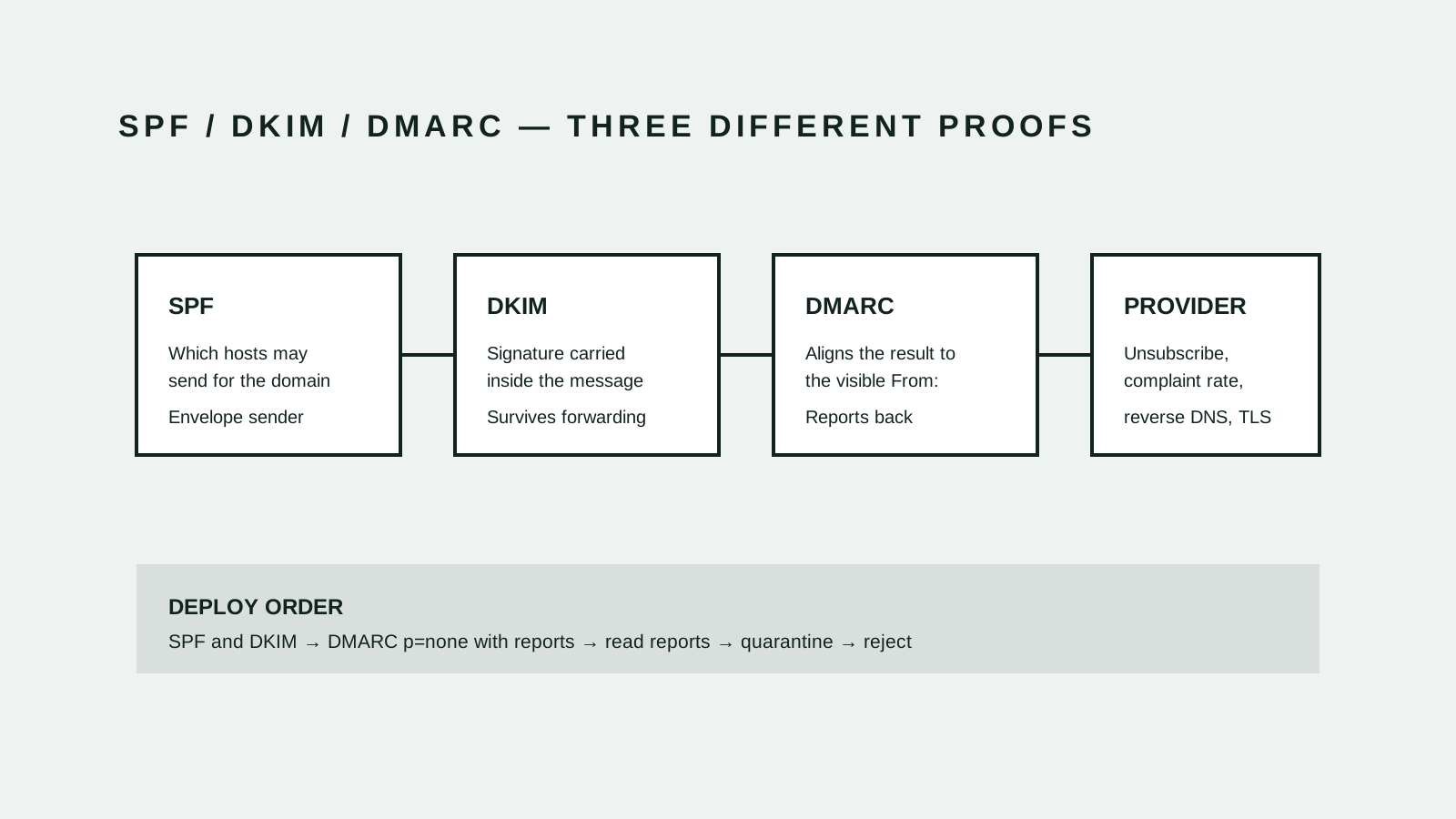
Three records, one decision
- 1 · SPF
Which hosts may send for the domain
A DNS record lists the hosts authorised to send mail for a domain, and the receiver checks it against the envelope sender used in the SMTP transaction. It says nothing about the From: address a person actually reads, and it breaks when a message is forwarded.[1]
- 2 · DKIM
A signature the message carries with it
The sending system signs selected headers and the body with a private key, and the receiver verifies it against a public key in DNS. Because the proof travels inside the message rather than depending on the connecting host, it survives ordinary forwarding that defeats SPF.[2]
- 3 · DMARC
Tie the result to the visible sender
DMARC requires that a passing SPF or DKIM result align with the domain in the From: header, publishes what a receiver should do when nothing aligns, and asks for aggregate reports. Alignment is the part that makes the other two meaningful to a reader.[3]
- 4 · Provider rules
The mailbox provider adds its own bar
Large providers publish sender requirements above the protocol baseline. Google requires authentication for all senders and, for bulk senders, SPF and DKIM with DMARC alignment, one-click unsubscribe on marketing mail, and a spam complaint rate kept below its published threshold.[4]
Each mechanism proves a different thing
The three records are often described as a bundle, which hides why all three are needed. SPF authorises hosts and checks the envelope sender. DKIM proves a message was signed by someone holding the domain key and has not been altered in the signed parts. Neither, on its own, says anything about the address displayed to the reader.[1][2][3]
DMARC is what connects the proof to the visible identity, and it is also the only one of the three that reports back. Publishing DMARC without reading its aggregate reports gives up most of its value: the reports are the inventory of who is sending as your domain.[1][2][3]
Deploy in the order that cannot break mail
Publish SPF and DKIM first and confirm both pass for every system that sends on your behalf. Then publish DMARC in monitoring mode with a reporting address, and leave it there long enough to see a full billing cycle of unusual senders — quarterly invoicing and annual renewal notices are exactly the sources a two-week observation misses.[3][4]
Only then tighten the policy, quarantine before reject. Moving straight to a rejecting policy is the standard way to discover that payroll notifications were being sent by a system nobody remembered, at the moment those notifications stop arriving.[3][4]
- Publish SPF and DKIM for every sending system
- Publish DMARC in monitoring mode with a reporting address
- Read the reports until no legitimate sender is failing
- Tighten to quarantine, then to reject
The failure is almost always a forgotten sender
Most delivery problems are not a broken record. They are a system that sends as your domain and was never included: the helpdesk, the CRM, the invoicing platform, the marketing tool, the monitoring alerts, the website contact form, the calendar invitations, a legacy application on a server that predates everyone in the room.[3]
This is why the inventory matters more than the syntax. A record that is correct but incomplete produces the worst outcome — most mail flows, some silently does not, and the failure is invisible until a customer says they never received anything.[3]
Volume rules are stricter than the protocols
Passing DMARC is the baseline, not the goal. Provider requirements add operational conditions the RFCs never mention: a working one-click unsubscribe on marketing mail, a low complaint rate, valid forward and reverse DNS on sending hosts, and TLS on delivery.[4]
Those conditions are about behaviour rather than configuration, so they cannot be fixed once and forgotten. A list that was clean a year ago, sent to after a long gap, generates the complaint rate that costs delivery for the transactional mail sharing the same domain — which is the argument for separating marketing and transactional sending onto different subdomains.[4]