
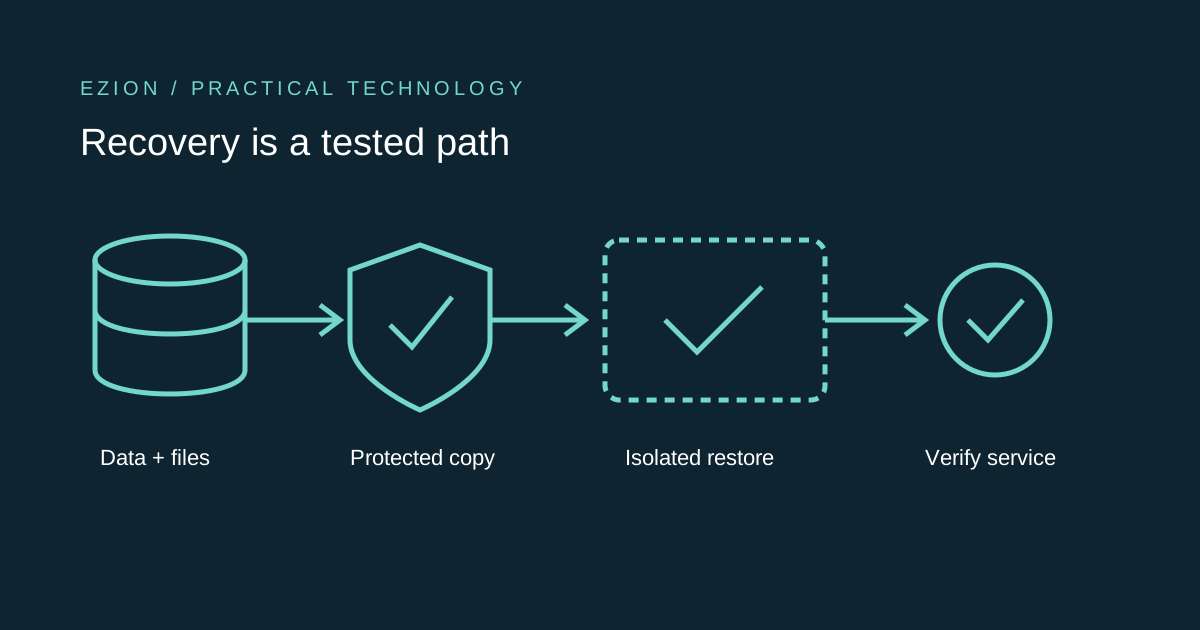
Prove recovery before you need it
- 1 · Define
Name the business outcome
Choose the workflow that must return, the data it needs and who can accept the recovered result. Set an acceptable recovery point and outage window before buying more storage.
- 2 · Protect
Separate the backup boundary
Keep recoverable copies of data, applications and settings, with permissions and retention that protect them from the same failure as the live system.[1]
- 3 · Restore
Test a common recovery point
Restore the application and its related data together in isolation. ASD’s Essential Eight calls for common-point-in-time restoration tests as part of disaster recovery exercises.[1]
A successful copy is only the beginning
A backup dashboard answers whether a job completed. The business needs a different answer: can staff use the recovered system, with the right records and attachments, before the outage becomes unacceptable? A readable archive is necessary, but it is not that answer.[1]
Consider an illustrative booking service. Its database can restore correctly while uploaded consent forms are missing, configuration points to the wrong storage bucket, or a decryption key is unavailable. The server starts, yet the service is not recovered. This is a planning example, not a claim about a measured incident.[1]
Define loss and downtime separately
A recovery point objective, or RPO, describes the acceptable age of recovered data. A recovery time objective, or RTO, describes the target time to restore service. Decide both with the person responsible for the business workflow. A brochure site and a booking ledger may justify very different targets.
Then test the whole path against those targets: detection, approval, provisioning, data transfer, key access, validation and cutover. Do not count only the database import. If the last usable copy is older than planned, record the gap and explain how missing work will be reconciled rather than silently declaring success.
Back up the recovery set, not just the database
Inventory the database, uploaded files, application version, configuration and dependencies needed to restore a coherent service. Record how authorised operators retrieve keys and secrets through a protected channel; never put plaintext credentials in a broadly readable runbook or archive.[1]
ASD’s guidance includes data, applications and settings and requires synchronisation for restoration to a common point in time. For a system with separate database and file storage, document how those snapshots relate. A newer database can reference files missing from an older file backup even when both jobs were green.[1]
Do not give an attacker the backup delete button
A continuously synchronised folder can propagate deletions or damaged files. Check version history and retention instead of assuming that another copy is independent protection. Also ask whether a compromised application account can modify or delete the recovery copies.[1][2]
Separate backup administration from ordinary application operation. Choose secure, resilient storage and test the relevant permission boundary. The Essential Eight has progressively stronger restrictions across maturity levels, including protection against modification or deletion during retention at level three. That is guidance to assess in context, not a statement that every business has the same legal obligation.[1][2]
Rehearse without contacting real customers
Restore into an isolated environment with outbound email, payment calls, webhooks and scheduled jobs disabled or redirected to test services. Apply access controls appropriate to the restored information. A recovery exercise must not accidentally send old invoices or expose customer data through a public test URL.[1]
Have an operator other than the runbook author follow the steps. Check record relationships, open representative attachments, sign in through the intended recovery path and complete a safe read-only business check. Record the selected backup, application revision, elapsed recovery time, discrepancies and the business owner’s acceptance. Delete temporary copies according to the approved retention policy.[1]
- Confirm the restore target is not Production before any destructive command.
- Validate database and file consistency, not only process health.
- Record unmet objectives and assign a correction owner.
- Repeat after material schema, storage or access changes.
Make the next improvement measurable
Start with one critical workflow and one documented exercise. If downloading the archive takes too long, improve retrieval. If the backup account is inaccessible during an identity-provider outage, fix the approved emergency-access path. If attachments are inconsistent, change the capture process before increasing frequency.
Keep both backup-job monitoring and restore evidence. They answer different questions. The useful deliverable is a dated record showing which recovery point was restored, what worked, what did not and when the next exercise is due—not a promise that the cloud provider will handle everything.